
On this page
In short
- A demo proves the idea can work. Production proves it keeps working when nobody is watching, and most AI-built prototypes stall in the gap between the two.
- The first things to break are rarely the features. They're the data, permissions, the model's behaviour on inputs nobody tried, and the bill.
- Measure the AI part with an evaluation set before launch, and run it again before every deploy.
- Decide whether to extend the prototype or start again on evidence from the architecture, not on how much time went into it.
AI coding tools changed who can build a working product. A founder with a clear idea can now put a convincing prototype in front of investors, customers and their own team without hiring anyone. That's a genuine shift, and we'd encourage most founders to use it. The trouble starts when the prototype quietly becomes the product. It was built to show that something is possible. Nobody asked it to survive a real customer's data on a busy Monday, and it usually can't.
01Why do AI-built prototypes break with real users?
A prototype is built along the happy path: the inputs the builder expected, one user at a time, clean sample data, and a model that behaved well in the three examples somebody tried. The coding tool optimises for "it runs", and it does run. What it never had to decide is what happens when any of those assumptions stops being true.
Real users break those assumptions quickly. They paste in documents the model has never seen. Two of them edit the same record at once. One of them is an administrator and one shouldn't see the other's data. Somebody types an instruction into a text box, and the model follows it. None of this is exotic. It's an ordinary week for a product with customers.
A demo proves the idea can work. Production proves it keeps working when nobody is watching.
There's a second, quieter problem. A prototype has no memory of its decisions. Nobody wrote down why the data looks the way it does, which prompt changed last week, or what the model was expected to do with an empty field. When something goes wrong in production, that missing reasoning is what turns a small fix into a long investigation.
02What's the difference between a prototype and a production product?
The code can look similar. The expectations around it are different in almost every row.
| Area | In a prototype | In production |
|---|---|---|
| Data | A clean sample, often invented | Real, incomplete, duplicated, growing, and owned by the customer |
| Users | One person: the builder | Many at once, with different roles and permissions |
| AI behaviour | Looks right in the examples tried | Measured against an evaluation set, before every deploy |
| Security | Every input is trusted | Every input is untrusted, including text meant to steer the model |
| Cost | Ignored | Known per request, with a ceiling |
| Failure | The builder notices | The system notices, records it and tells someone |
| Knowledge | In the builder's head | Written down, with the reasoning, and handed over |
None of the right-hand column is about features. That's the point founders miss most often: the prototype has most of the features. What it lacks is everything that makes features dependable.
03What breaks first, and how do you check it?
From building our own products, and from what we observe across AI products generally, the same seven areas tend to fail first. Here is what to check in each, in roughly the order it tends to hurt.
1. The data
The prototype's data model was shaped by the demo. Real data arrives incomplete, duplicated and out of order, and the product has to survive it. Before anything else, ask whether the data you actually have supports the outcome you're promising. If the answer is "not yet", no amount of prompting will fix it.
2. Identity and permissions
Prototypes often have one user and no roles. Real products need to know who is acting, what they're allowed to see, and who did what. apprn, our salon product, gives each role its own access, because an owner, an artist and a customer should never see the same screen.
3. The model's behaviour
In a demo, the output looks right. In production, "looks right" isn't a measurement. You need an evaluation set, covered in the next section, and a success metric agreed before the architecture.
4. Security
Any text a user types or a document contains can carry instructions the model might follow. That's prompt injection, and with it comes the risk of the model leaking data it was given for another purpose. Test for both deliberately, the way an attacker would.
5. Cost and speed
A single model call is cheap. A workflow where an agent calls the model many times per request, for every user, is not. Measure cost per request and response time early, and set a ceiling for each before launch.
6. Observability
When an agent makes a bad decision, you need to see the path it took: which inputs, which tools, which step went wrong. Tracing across that decision path, plus cost and quality dashboards, is the difference between fixing a problem and guessing at it.
7. The release
Shipping to everyone at once turns every undiscovered failure into a public one. Release in steps instead. We come back to how in section 06.
04How do you test the AI part before launch?
With an evaluation set: a collection of real inputs, each paired with what a good output looks like, sized to the problem and scored against the success metric you agreed at the start. It's the AI equivalent of a test suite, and it's the single practice that separates products from demos.
- Start from the business objective. Define what success means for the user before choosing a model or writing a prompt.
- Collect real examples. Real inputs, including the awkward ones: empty fields, long documents, the wrong language, the rude customer.
- Write down what good looks like for each example, so two people would score it the same way.
- Add adversarial cases: inputs designed to make the model ignore its instructions or reveal data.
- Run it before every deploy. A prompt change that fixes one case and breaks four others should never reach users.
Before all of that, ask a simpler question: does this part need a model at all? The Remove-the-AI Test takes the AI out and looks at what's left. Every component that works as a rule is one fewer thing to evaluate, secure and pay for. In apprn, the event everything depends on is deterministic: an artist can only start a service by entering a one-time code sent to the customer with that booking. Nothing downstream has to trust a model's guess about whether a service happened.
Insight
A failed prototype is a cheap discovery, not a failed project. The expensive failure is the one you find after launch, because you never measured.
05Should you extend the prototype or start again?
Neither answer is a matter of taste. It's a matter of what the architecture will let you do next. Review what exists before committing to extend it, and decide on evidence.
- Extend it when the data model matches the real domain, the code is readable enough for someone else to change, secrets and business logic live on the server rather than in the browser, and the parts you'd keep outweigh the parts you'd replace.
- Start again when the architecture blocks where you're going: everything happens in the browser, model calls are tangled into the interface, there's no way to add roles without rewriting most of it, or nobody can explain why the data looks the way it does.
Starting again isn't a loss. The prototype already did its most valuable job: it made the idea concrete enough to argue about. The screens, the flows and the examples that worked are a better brief than any document.
The prototype is the best spec you'll ever write. It's rarely the best foundation.
06What does a safe release look like for an AI product?
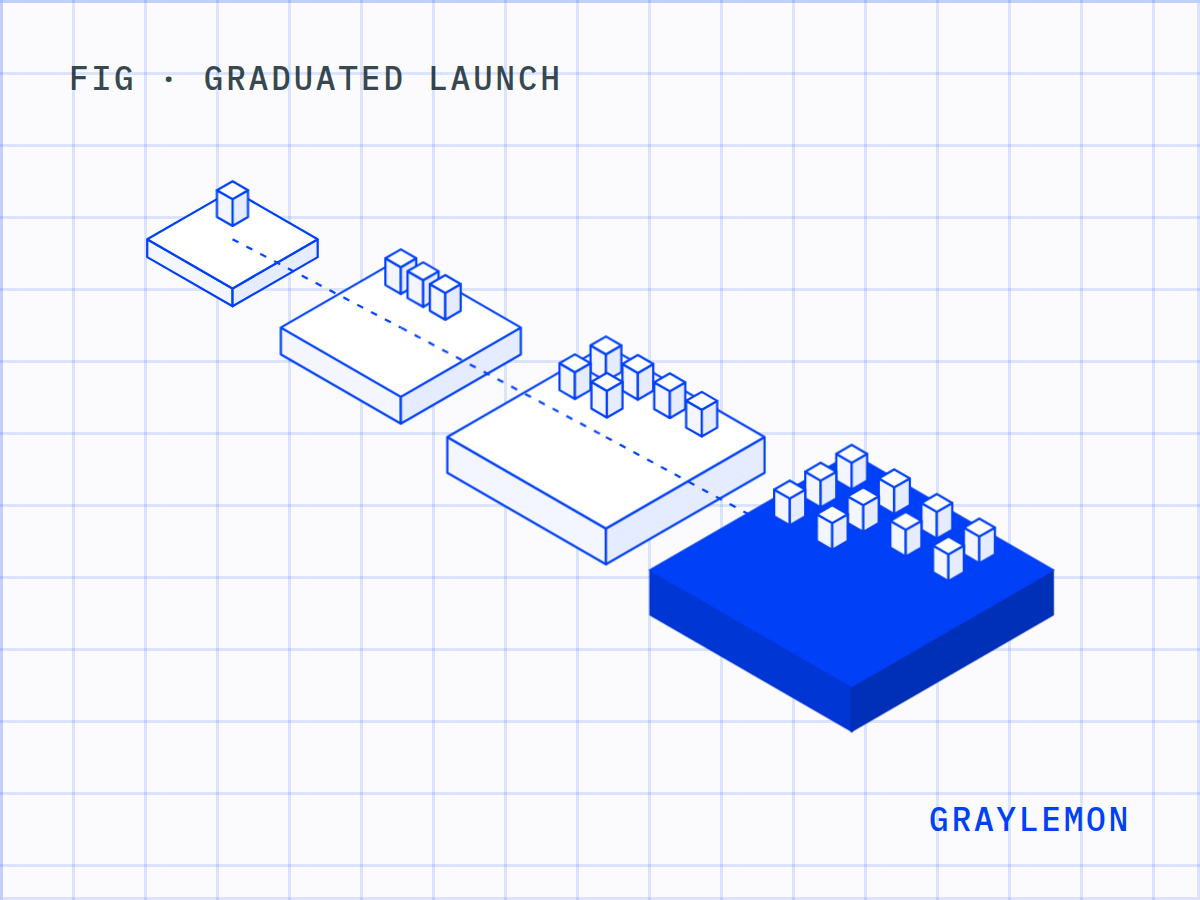
A graduated launch: internal, then beta, then a soft launch, then live. Each step widens the audience only after the one before it has stopped producing surprises.
- Internal. The team uses it on real work. Watch the traces, not just the output.
- Beta. A small group of real users who know it's early. Watch cost per request and where people get stuck.
- Soft launch. Open, but quiet. Watch the evaluation scores against live inputs, which will differ from the ones you collected.
- Live. Everyone. Keep a way to switch the AI path off and fall back to a simpler one, and a route for the model to hand a case to a person when it isn't sure.
The goal isn't caution for its own sake. Failures should surface while they're still small enough to be cheap.
07What should you own when the build is done?
Everything. The code should live in your repository from day one, not arrive in a zip file at the end. The data should sit in your accounts. And the reasoning should be written down: the architecture, the runbooks, the prompts and the model choices, each with the reason it was made. Write the product documentation so machines can read it as well as people, because AI assistants and agents increasingly read it on your buyers' behalf.
A product you can't run without the people who built it isn't finished. It's a dependency. We build our own ventures, otlo and apprn, with the same stages and gates we run for clients.
08A pre-launch checklist for AI-built products
- The success metric is written down, and everyone agrees on it.
- The product runs on real data, not samples.
- Roles and permissions are tested with more than one user at a time.
- Every part that uses a model has passed the Remove-the-AI Test.
- An evaluation set exists, includes adversarial cases, and runs before every deploy.
- Prompt injection and data leakage have been tested on purpose.
- Cost per request and response time are measured, with a ceiling for each.
- Traces show the full decision path for any request.
- There's a fallback when the AI path fails, and a route to a person.
- The release goes internal, beta, soft launch, then live.
- Code, data and documentation are in your accounts, with the reasoning written down.
09Questions founders ask
Can an app built with Lovable, Bolt, Replit or Cursor go to production?
It can be the starting point. Whether it becomes the product depends on the architecture underneath, not on the tool that generated it. Review the data model, where secrets and business logic live, and how the model calls are made, then decide whether to extend it or start again.
How do you measure whether an AI feature works?
With an evaluation set: real inputs, each paired with a good output, scored against a success metric agreed before the build. Run it before every deploy, so a change that fixes one case and breaks others never reaches users.
Does a small product need to worry about prompt injection?
Yes. Any product that passes user text or documents to a model can be steered by that text. Size doesn't change the risk; it only changes how many people are affected when it happens.
Do we need AI in the product at all?
Sometimes not. Remove the AI and look at what's left. If a simpler product still delivers most of the value, the model isn't justified yet, and every part you build as a rule is cheaper to run and easier to trust. Deciding that before the build is what deciding whether it's worth building is for.
Where this fits